

Categories
News

Write the release notes; the bilingual announcements write themselves — now published

Running communications for a small community comes with a particular kind of exhaustion. There are never enough writers, and there is certainly no spare capacity to write every announcement twice — once in Japanese, once in English. So the updates thin out, or one language quietly gets left behind. We were no exception.

On our site, publishing a single GitHub Release now automatically creates a paired Japanese and English article. The only human work is writing the release notes in an agreed format. And when a translation has not been written, the machine does not invent one: the English article is published, and the Japanese one waits as a draft for a human translator. “Never fabricate a translation” is a design principle, not an afterthought.

Today we published this mechanism as a methods document with its reference implementation:

RumiCar-group/RumiCar-ReleaseNotes-Guide

The mechanism itself has been running quietly for a while. But over the course of releasing PhotoStrip, VideoLoop and the AutoPost Guide, we have grown used to putting our ways of working out in the open — so we decided to start publishing not just the new machinery, but the older pieces that have been doing their jobs in the background. This is the first of those.

The motivation is simple. Every manual step that a mechanism absorbs is time handed back to the activity itself. If another understaffed community can use this record as a stepping stone — spending their hours on what they do rather than on announcing it twice — that is exactly what we hoped for. And we set no boundaries on who: schools, companies, commercial use, anyone is welcome (MIT license; it is the record of one working example, offered without warranty).

The documentation is bilingual. Even if you never need this particular pipeline, we hope one fact travels: a small team can keep publishing in multiple languages — if it builds itself the machinery.

Categories
News

How this site auto-posts every new article — the AutoPost Guide is out

On this site, publishing one article automatically does two things: the post appears in “What’s New” on the front page, and it gets posted to our Facebook Page. Today we published how that works as a methods document, the “AutoPost Guide”, on GitHub.
Where PhotoStrip and VideoLoop published code, this one publishes a way of doing things: WordPress’s standard RSS feed as the contact point, plus an external RSS-to-SNS relay service. Simple — except for the things only real operation taught us:

  • The moment you enable it, the feed’s newest article gets posted once (duplicating it if you had already shared it by hand).
  • The “publisher” attribution is visible to Page admins only — visitors see a normal post.
  • Whether a post really went out can be confirmed from your own server’s access log alone.
  • With cache layers in front, publish-to-post delay can reach a few tens of minutes.

The guide covers the setup steps (as of August 2026) together with those operation-taught details, in both English and Japanese. It is the record of one setup that worked as of August 2026 — no guarantees, MIT licensed. We hope it helps communities, schools and companies that share their activities through a website and social media.

▶ GitHub: RumiCar-group/RumiCar-AutoPost-Guide

Incidentally — this very article is the first one to travel through that automated pipeline to Facebook.


Postscript (about 10 minutes after publishing): measured on this very article. At 23:23 UTC dlvr.it noticed the feed update and fetched this post; at 23:24 Facebook’s crawler read it with utm_source=dlvr.it attached — which, as the guide explains, is the evidence that the automated post went live. About ten minutes from publish, zero human steps.

Categories
News

VideoLoop: our video digest window is now open source

We have released VideoLoop, the mechanism behind the “video digest window” on the RumiCar top page, as open source software. It is the sibling project of PhotoStrip, which we released a few days ago. Communities, clubs, schools and organizations that want to showcase their activities on video are welcome to use it — and so is everyone else, including commercial use in company websites and products (MIT license).

GitHub: RumiCar-group/RumiCar-VideoLoop (documentation in both English and Japanese)

The problem we wanted to solve

We film every event and have published about 100 videos on our YouTube channel. Our top page embedded one representative video with a play button — and almost nobody presses play. A hundred videos of real activity were effectively invisible.

An autoplaying embedded player would fix that, but at a hidden price: it streams on the visitor’s data plan for as long as the page is open, watched or not. We had just built PhotoStrip around the principle that visitors only pay bandwidth for the attention they choose to spend, and we didn’t want to break it for video.

How we solved it

The idea is to pre-render the first impression. From each video we automatically generate an 8-second, silent teaser clip (~230 KB — the size of two photos), host it ourselves, and play the clips one after another in a small fixed window, in a fresh random order on every visit. A click jumps to the full video on YouTube, so views are counted where they belong.

Bandwidth is strictly “only while watching”: not a byte is fetched until the window scrolls into view, and playback stops when it scrolls out or the tab is hidden. Measured: about 700 KB for 20 seconds of watching. For visitors with “reduce motion” or data-saver enabled, nothing autoplays — they see a poster and a start button.

Publish a new video and the nightly job adds its teaser by morning. Make a video private and its teaser disappears automatically — a video you withdrew must not keep playing on your site.

The README includes our failures, on purpose

As with our other projects, the README documents the thinking process, not just the API: the four options we considered and why we rejected three, an honest note about YouTube’s terms of service, and the traps we actually stepped in — how “on error, skip to the next clip”, an obviously correct design, turned into an infinite barrage of 404 requests when combined with video deletion and page caches; how one slow video could crash the nightly job at the same spot every night; how CSS specificity made our “tightened margins” a lie, twice. What three rounds of adversarial review found before release is written up separately in the RETROSPECTIVE.

Zero dependencies: one JS file, one CSS file, and a Python generator tool that works from local video files or from your own YouTube channel. Recipes for static HTML, PHP and WordPress are included. You can see it running under the introduction video on this site’s top page.

This development was carried out by an AI (Claude) under human supervision and approval. Questions and suggestions are welcome on GitHub Issues, in English or Japanese.

Categories
News

Never Let the Author Be the Last Reader: Process Lessons from Building Open Source with AI

There is a follow-up story to PhotoStrip, the tool we open-sourced – one that may be more useful than the tool itself: how it was built, and why its author missed things. The full write-up is published as a retrospective (English/Japanese) on GitHub; this article is the summary.

What happened

PhotoStrip v1.0.0 was written by an AI (Claude) under human supervision, tested in real browsers, and measured down to the kilobyte before release. Honest work. Still, before announcing it anywhere, we added one more step: a second AI with a completely empty context – no knowledge of any design decision – was told to review the repository as a hostile user. It found 21 defects: a strip that freezes permanently after one tap on a phone, a setup that breaks with two strips on a page, a conversion tool that kept publishing photos the owner had deleted. Exactly the kind of problems real users hit first.

Why the author missed them

Tests written by an author can only verify the world the author imagined – and the author’s imagination is shaped by having written the code. “It works” only ever means “it works where I ran it”. Verification gravitates to first-time use, while real maintenance is made of second actions. And fixes breed sibling bugs: our fix for a touch-freeze bug recreated the very same freeze through another event path, caught only because the fix was re-tested under the same hostile conditions that found the original.

Humans and AIs miss different things

Listing who found what shows a clear division of labor. The AI’s measurements caught the 27 MB payload and a runaway pre-loader – numbers need no imagination. But the core issue – “the same photo came around again; it makes the project feel small” – appears in no metric at all: a human perceived it. So did the reading that “anyone may use it” could sound non-profit-only in context. And the 21 concrete defects came from the fresh-context reviewer, free of author bias.

A four-line recipe for building with AI

  1. Let the AI build – and make it measure (demand numbers, not adjectives)
  2. Before release, let a separate, context-free reviewer try to break it. Never settle for the author reviewing itself (an AI can summon an unbiased twin in minutes – something humans cannot do)
  3. Keep humans in the loop for perception, values, and priorities – and listen when they say something feels wrong even though every metric is green. Especially then
  4. Fix bug families, not instances, and re-test under the conditions that caught them

The conclusion fits in one line: never let the author be the last reader.

Full retrospective (GitHub, en/ja) / PhotoStrip live demo / in the same spirit: the simulator’s development story. This article, too, was written by an AI (Claude) under human supervision.

Categories
News

PhotoStrip, Our Bandwidth-Friendly Photo Loop, Is Now Open Source

The slowly flowing photo strip on the RumiCar homepage is now open source, under the name PhotoStrip. Any community, club, school, or group that wants to showcase its activities with photos is welcome to use it — and so is any business or commercial service. It is MIT-licensed: free for any purpose, commercial or non-commercial. If this logic becomes the foundation of new features or services somewhere, including paid ones, that too is exactly the kind of usefulness we published it for.

GitHub: RumiCar-group/RumiCar-PhotoStrip (documentation in both English and Japanese)

The problem we wanted to solve

When you show activity photos in a loop, the naive implementation ends up sending a huge number of photos all at once. In our case, the first version with 265 photos transferred 27 MB and took 4 seconds to load – measured with a real browser. A visitor who leaves after five seconds still pays for all 27 MB on their phone plan.

Limiting the display to a small subset fixes the bandwidth, but creates the opposite problem: the same photos come around again within minutes. The more attentively someone watches while reading your page, the more likely they are to think, “wait, I’ve seen that one – maybe this group doesn’t actually do much.” The loop undersells the very activity it is supposed to showcase.

How we solved it

PhotoStrip downloads each photo only when it is about to scroll into view. A ten-second visitor receives a few hundred kilobytes; a ten-minute visitor gradually receives more, roughly in proportion to the time they chose to spend. Nobody pays for photos they never saw. And no photo repeats until the entire pool has flowed past, so the longer you watch, the more different activities you see.

With the same 265 photos, the final version measures 888 KB / 0.5 s on first load, plus roughly one small image every 9 seconds of watching.

A README you can learn from

In the same spirit as the RumiCar Simulator, the README is not a feature list but a record of how we thought: the four options we considered and why we rejected three of them, and the pitfalls we only discovered by measuring – for example, that the browser’s native lazy loading does nothing in a horizontally flowing layout, or that forgetting width/height attributes on images makes the pre-loader run away and fetch 112 photos in one burst. Everything is documented with numbers. We hope it saves the next builder some time.

Zero dependencies: one JS file and one CSS file, on any web page – WordPress not required. For maintainers who only touch their site a few times a year, the repository also includes ready-made recipes per environment (FTP-only static HTML / shared hosting with PHP / a WordPress mini plugin) and a conversion tool that generates everything needed from a folder of photos. You can see it running in the “RumiCar in Action” section of this site’s homepage.

This module was developed by an AI (Claude) under human supervision and approval. Questions and suggestions are welcome in GitHub Issues, in English or Japanese.

Categories
Events

Event Participation List — Events and Venues Where RumiCar Has Appeared

Here is a list of events where RumiCar has been exhibited, demonstrated, or adopted. It includes not only the RumiCar team’s own activities but also exhibitions and uses of RumiCar by partner companies and community members. Each event name links to the organizer’s official page or to a page featuring RumiCar.

To see the venues on a map, visit the Event Participation List (map). To learn how events get added to the list, see About the Event Participation List. This list updates automatically whenever the registration sheet is updated.

Event names are shown in their original language.

53 events in total, newest first

Categories
News

The Making of the RumiCar Simulator: A Development Timeline from the Public Record

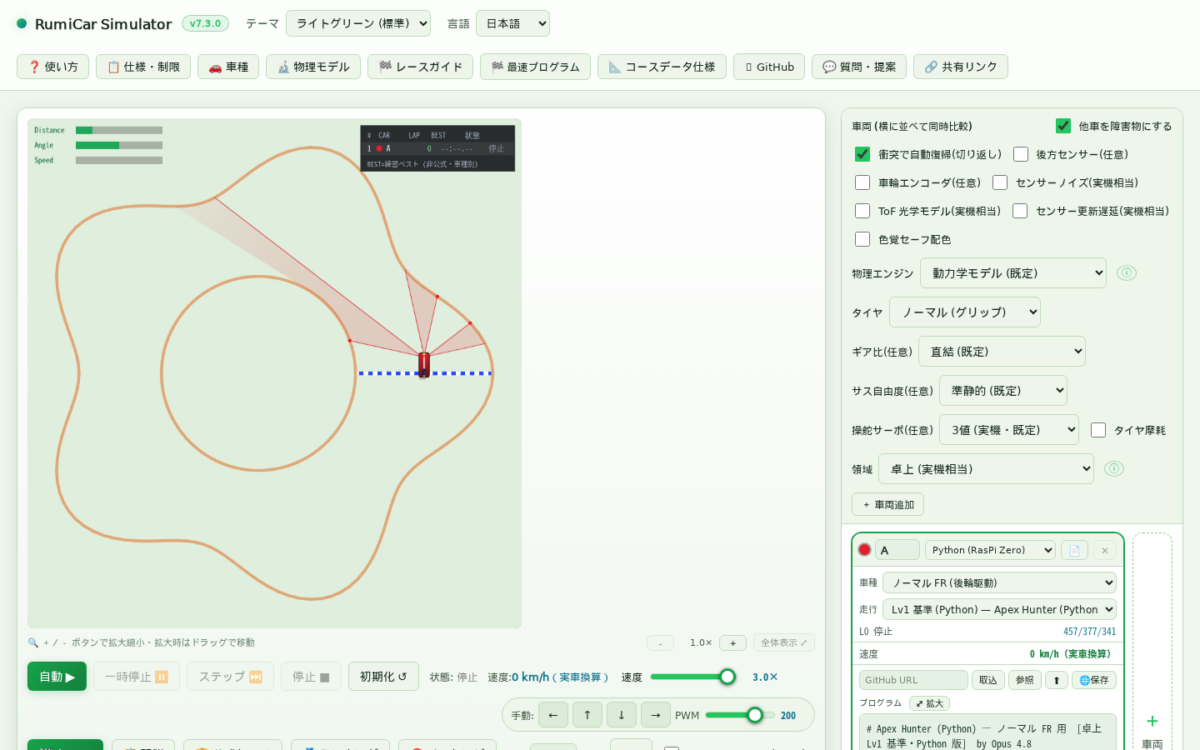
The RumiCar Simulator is a development environment where you write and run autonomous-driving algorithms entirely in your browser. It reproduces the same sensor setup as the real RumiCar vehicle — three front ToF distance sensors plus wheel encoders — and executes C / Python / JavaScript programs as-is. This article looks back over its development, dated, using only the public record: the release notes and community posts on GitHub.

Design pillars

  • Zero binary assets — vehicles, courses, and effects are drawn procedurally at runtime; there is not a single image file
  • Zero external libraries or CDNs — no npm packages either
  • Deterministic — the same input reproduces the same result, byte for byte. 52 verification gates ship with the repository; anyone can run node wf_run_all.mjs and check with their own hands
  • Real-car compatible — Arduino C++ programs written in the simulator run unmodified on a real RumiCar

A development timeline, from the public record

June 14, 2026 — the first outside review. An AI (Claude) operating the simulator in a browser posted a first-impressions review, calling the physics “honest” and proposing optional sensor-noise injection and a friction-circle overlay — both later implemented.

July 5, 2026 — the third-generation driving engine, “Precise Dynamics v2”. A ground-up rewrite to four-wheel (two-track) physics with per-wheel loads and momentum-exchange contact (development report #28). Its defining stance: “don’t pray for compatibility — prove it every time.” The default physics stayed byte-identical and every past race record’s verification hash still held, machine-checked on every commit throughout the rewrite. The measurement-first style was also established here: “can drifting beat grip?” was answered with a 20-cell measured NO — negative results published with their mechanisms.

July 13, 2026 — v4.0.0: performance and correctness. Changing the numerical integration scheme cut computation steps to about one-ninth, and the slope-gravity model was corrected from “looks plausible” to physically directed (behind-the-scenes #29). Opt-in realism arrived too: the update rate and outliers of the real ToF sensor (VL53L0X). The default teaching physics remained untouched.

August 2, 2026 — the public GitHub repository opens (v5.0.0). Full source, the verification gates, and the Docker setup were published, so anyone can clone it and run their own instance.

August 5, 2026 — v7.3.0. The release notes document the journey from v5.1 to v7.3. Highlights:

  • Faster startup (first course drawn: 700 → 608 ms) and a wide-screen layout
  • C arrays, plus C ports of two advanced samples — machine-verified identical to their Python versions across all 12,863 frames
  • A real-device ToF optics model, rain tires, gearing, suspension DOF, and continuous steering — all optional equipment; with the defaults, not a single byte changes
  • Banked corners (superelevation), whose limit speed matches the closed-form theory to 10-16
  • “Learn and grow” features: championships, per-language ladders, challenge badges, and sector-time comparison

August 7, 2026 — the English README. The full picture is now accessible to developers worldwide.

What this development stands for

Reading the public reports end to end, a consistent stance emerges. Compatibility is proven, not hoped for (byte-identical teaching physics, hash-reverified records). Negative results are published (“drifting is never faster” — with 72 measured cells to show for it). Measurement over intuition (a feature’s effect is isolated to its source before it is credited). The development is carried out by an AI (Claude) under human supervision and approval — and that process itself is public on GitHub.

Try the simulator here — free, no installation. The source is on GitHub, and questions and proposals are welcome as issues, in English or Japanese.

Categories
News

RumiCar-lib Is Now in the Arduino IDE Library Manager

RumiCar-lib, our library for microcontrollers, is now officially listed in the Arduino IDE Library Manager. You can search for it and install it directly from the Arduino IDE.

How to install

  1. Open the Arduino IDE
  2. Open the Library Manager (Sketch → Include Library → Manage Libraries)
  3. Search for “RumiCar” and install

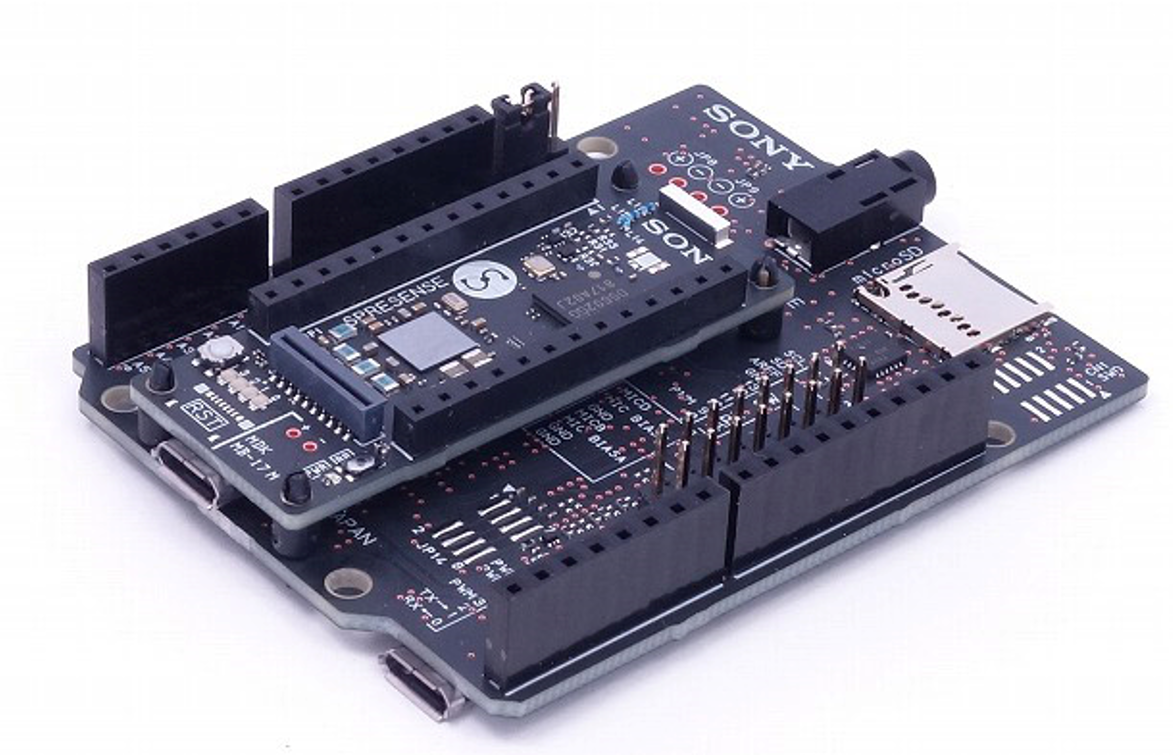
RumiCar-lib supports multiple microcontrollers, including AVR, ESP32, and Spresense — the same sketch runs on different hardware. The source code is available on GitHub (RumiCar-group/RumiCar-lib).

Don’t have the hardware yet? You can start developing autonomous driving algorithms right away with the browser-based RumiCar Simulator.

Categories
Car No.1 and No.2

Car No.1 and No.2 — Photos (1)

How this site is built (v1.4.0)

Some components are open source:

Enjoyed the machinery? The main event is our autonomous-driving simulator — it runs in your browser.
Try the simulator → / GitHub →