
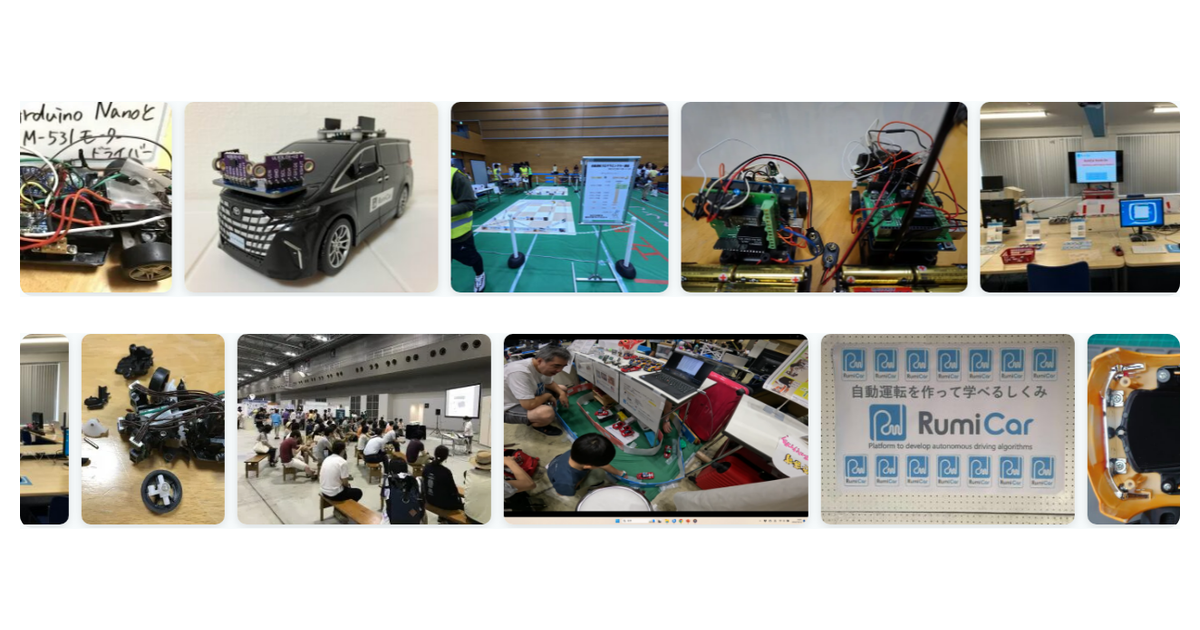
The slowly flowing photo strip on the RumiCar homepage is now open source, under the name PhotoStrip. Any community, club, school, or group that wants to showcase its activities with photos is welcome to use it — and so is any business or commercial service. It is MIT-licensed: free for any purpose, commercial or non-commercial. If this logic becomes the foundation of new features or services somewhere, including paid ones, that too is exactly the kind of usefulness we published it for.
GitHub: RumiCar-group/RumiCar-PhotoStrip (documentation in both English and Japanese)
The problem we wanted to solve
When you show activity photos in a loop, the naive implementation ends up sending a huge number of photos all at once. In our case, the first version with 265 photos transferred 27 MB and took 4 seconds to load – measured with a real browser. A visitor who leaves after five seconds still pays for all 27 MB on their phone plan.
Limiting the display to a small subset fixes the bandwidth, but creates the opposite problem: the same photos come around again within minutes. The more attentively someone watches while reading your page, the more likely they are to think, “wait, I’ve seen that one – maybe this group doesn’t actually do much.” The loop undersells the very activity it is supposed to showcase.
How we solved it
PhotoStrip downloads each photo only when it is about to scroll into view. A ten-second visitor receives a few hundred kilobytes; a ten-minute visitor gradually receives more, roughly in proportion to the time they chose to spend. Nobody pays for photos they never saw. And no photo repeats until the entire pool has flowed past, so the longer you watch, the more different activities you see.
With the same 265 photos, the final version measures 888 KB / 0.5 s on first load, plus roughly one small image every 9 seconds of watching.
A README you can learn from
In the same spirit as the RumiCar Simulator, the README is not a feature list but a record of how we thought: the four options we considered and why we rejected three of them, and the pitfalls we only discovered by measuring – for example, that the browser’s native lazy loading does nothing in a horizontally flowing layout, or that forgetting width/height attributes on images makes the pre-loader run away and fetch 112 photos in one burst. Everything is documented with numbers. We hope it saves the next builder some time.
Zero dependencies: one JS file and one CSS file, on any web page – WordPress not required. For maintainers who only touch their site a few times a year, the repository also includes ready-made recipes per environment (FTP-only static HTML / shared hosting with PHP / a WordPress mini plugin) and a conversion tool that generates everything needed from a folder of photos. You can see it running in the “RumiCar in Action” section of this site’s homepage.
This module was developed by an AI (Claude) under human supervision and approval. Questions and suggestions are welcome in GitHub Issues, in English or Japanese.